
LingQ Integration

Learn how to integrate your Skritter and LingQ accounts.
You can now link your LingQ and Skritter accounts. This will create a custom LingQ deck on Skritter.
What is LingQ?
LingQ is a language-learning platform built around comprehensible input. It helps you learn through authentic content like news articles, books, podcasts, and videos. You also have the option to import your own content.
How does it work?
If you have both a LingQ and Skritter account, you can use the new integration so that words and phrases show up in a custom deck on Skritter. This makes it simple and convenient to review and practice your new vocabulary. You can learn how to sync your accounts in the next section.
Integration is quick and easy
Follow the steps below to sync your accounts.
- On LingQ, study some vocabulary in Chinese (Simplified), Chinese (Traditional), or Japanese so that it is added to the list of vocabulary being tracked.
- Then, from the main dashboard on LingQ, go to the vocabulary page.
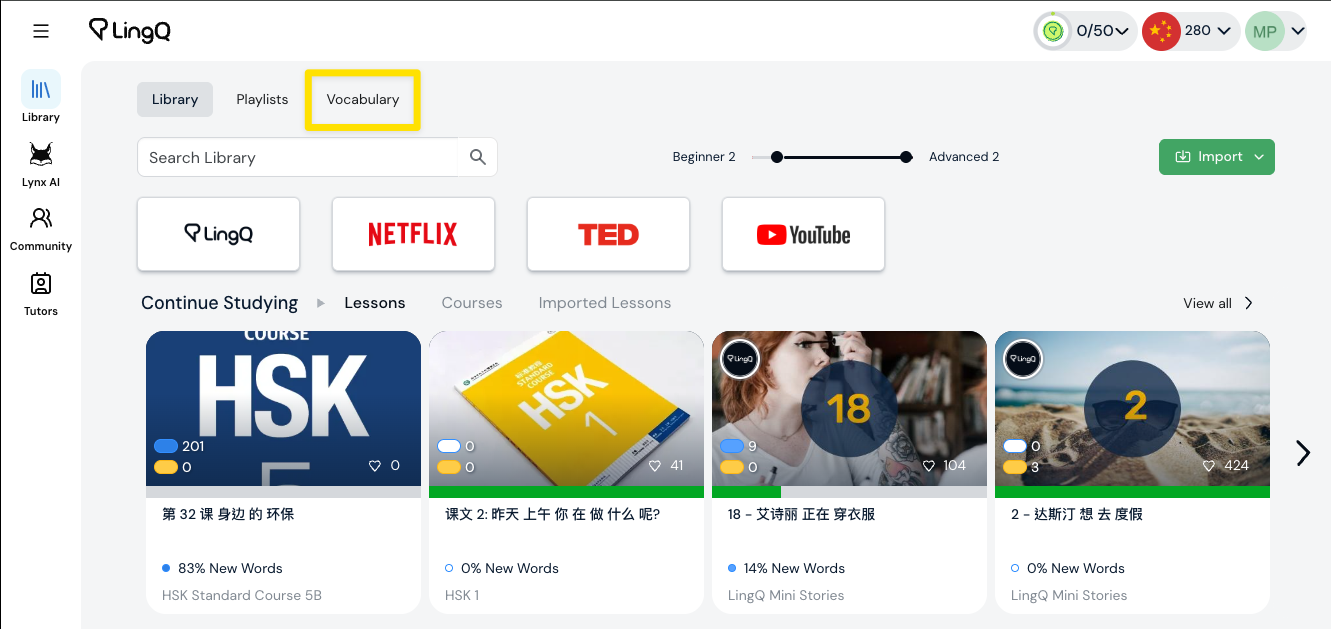
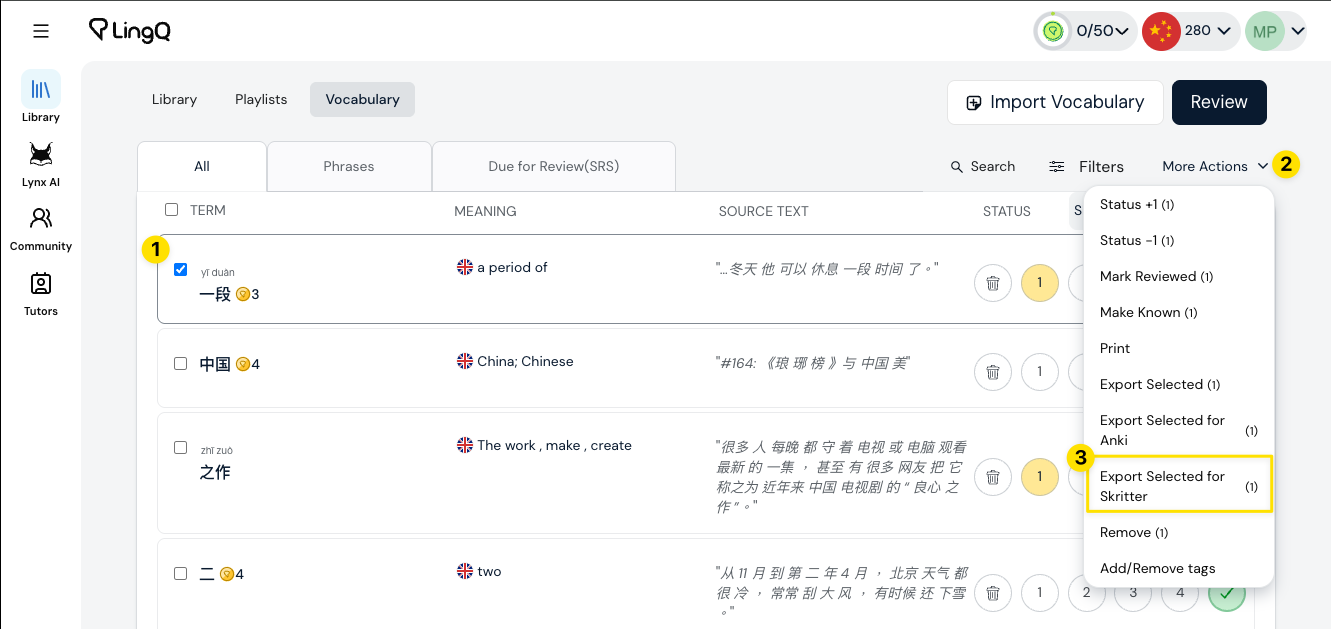
- Select any LingQ vocabulary you want synced over to your Skritter account by selecting the checkbox next to each vocabulary item.
- Then click the "More Actions" dropdown menu, and select "Export Selected for Skritter".
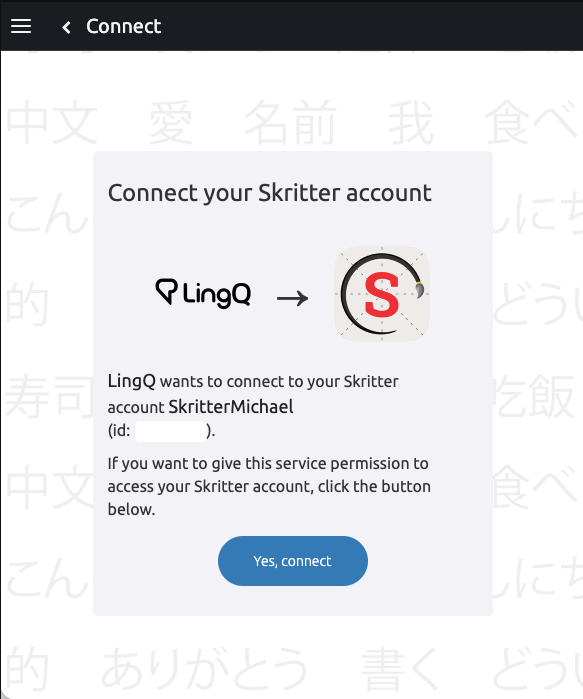
- If it's your first time exporting to Skritter, you'll be prompted to connect your account. If you're not logged in to Skritter on the same browser, you'll first be prompted to log in.
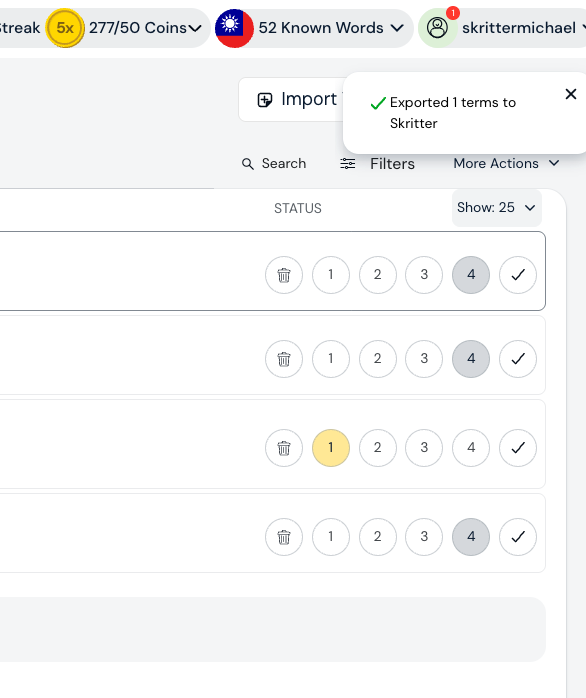
- Once the account is connected, words will be synced over from LingQ to Skritter.
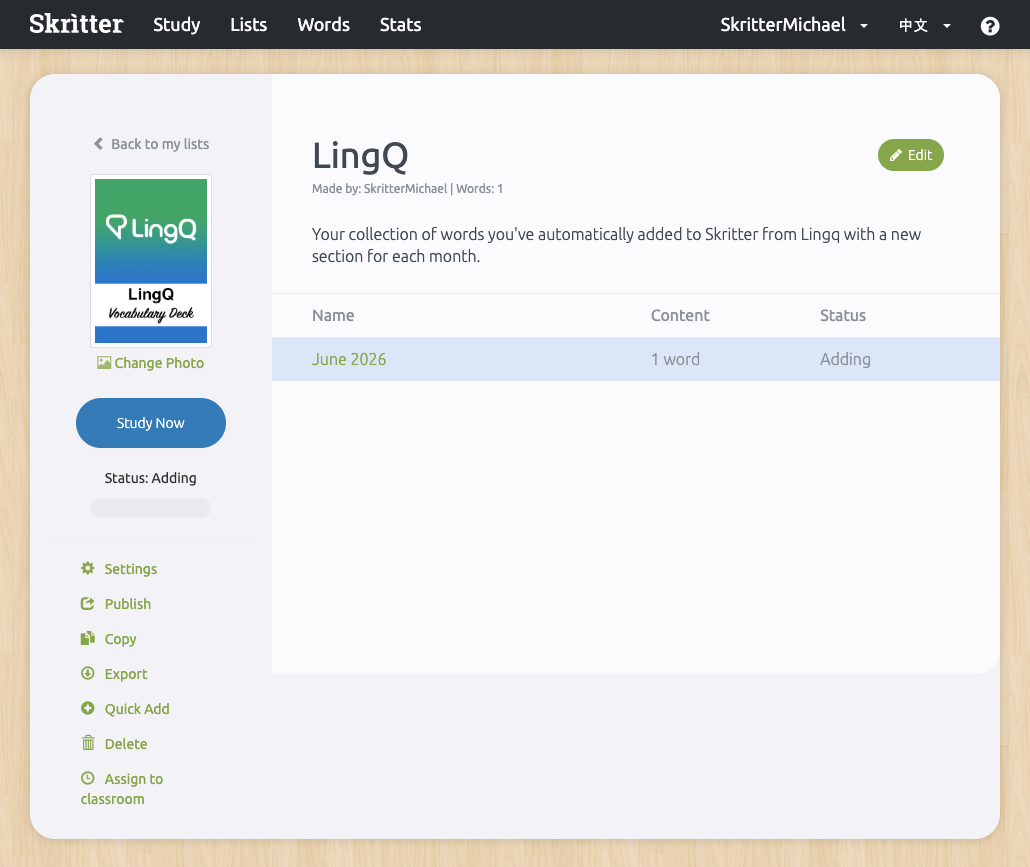
- Back on Skritter, a LingQ deck is automatically created. All words synced over from LingQ will end up in this deck. Chinese and Japanese words end up in separate decks. Skritter does not differentiate between words added in LingQ's separate simplified and traditional Chinese languages--they will all be added to the same Chinese vocab list on Skritter.
- Inside it, sections will be auto-created for the words that were added, separated by month and year.
As always, if you have any questions, don't hesitate to reach out to us at team@skritter.com. Happy studies!